Split Tunnel VPN Set up for Remote Ham Radio Operations
Technical Notes: Secure Remote Station Integration via WireGuard
Today we (Gemini, and I) implemented a new VPN configuration to establish a secure, low-latency "network pipe" between my remote operating location in Dallas and the station hardware at the lake.
We converted my existing WireGuard VPN into a split-tunnel configuration, creating a virtual LAN environment where remote software behaves as if it were locally connected. This avoids opening ports and exposing the internal network to the public internet
Optimization: Moving from Full Tunnel to Split Tunnel
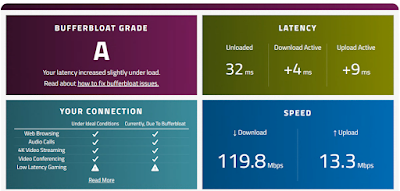
Initially, the WireGuard configuration was set for a "Full Tunnel" (AllowedIPs = 0.0.0.0/0). While secure, this forced every bit of Dallas internet traffic—including web browsing and 4K video streaming—to travel to the Lakehouse before heading out to the internet. This created unnecessary latency and consumed the Lakehouse's limited upload bandwidth.
192.168.x.x and 10.x.x.x subnets.
- The Result: The PC in Dallas now talks to the rotator and amplifier over the secure tunnel, but uses its own high-speed local internet for everything else. This ensures that a heavy download in Dallas won't "choke" the vital control data needed to operate the station.
1. The Infrastructure: WireGuard & Firewall
To avoid the security risks of port forwarding, we utilized a WireGuard tunnel. The key challenge was ensuring the Windows Firewall at the Lakehouse allowed traffic from the VPN subnet while remaining "stealth" to the public web.
- Subnet Logic: The VPN was configured on a
10.x.x.xsubnet, while the Lakehouse LAN operates on192.168.x.x. - The "Trust" Rule: Rather than opening individual ports, we used PowerShell to create a scoped firewall rule that trusts the entire VPN subnet.
- Once the rules are implemented, toggle the VPN up and down and use ping to confirm the "network pipe" is officially secure and open.
New-NetFirewallRule -DisplayName "Allow WireGuard Subnet" `
-Direction Inbound `
-Action Allow `
-Protocol Any `
-LocalAddress Any `
-RemoteAddress 10.x.x.0/24 `
-EdgeTraversalPolicy Allow
2. Rotator Control: PstRotatorAz
The station uses a Host/Client software architecture. The Lakehouse instance communicates with physical hardware, while Dallas acts as the remote UI.
1. Mode: Set Dallas to Tracking mode.
2. Display Cleanup: Navigated to
View -> Show Rotor Position and unchecked it. This hides the non-existent local hardware needle.3. Calibration: Verified both instances used the North Stop to align the digital readout with the graphic compass.
3. Amplifier Integration: Elecraft KPA-500
The KPA-500 Remote software was linked via TCP over the tunnel. Because the firewall trusts the VPN subnet, the Dallas client connected instantly to the Lakehouse internal IP.
- Host (Lakehouse): Listening on port
12050. - Client (Dallas): Pointed to
192.168.x.x:12050. - Result: Real-time monitoring of power, band, and amp status is now functional in Dallas.
Summary Takeaways
Safety First: By scoping firewall rules to the RemoteAddress of the VPN subnet, we enabled all necessary ham radio ports without exposing the Lakehouse PC to the open internet. Split-tunneling ensures that high-bandwidth activities (like 4K video) stay local to Dallas, keeping the radio control pipe clear.



Comments
FlexRadio discovery (the "Radio Chooser") uses Layer 2 UDP broadcasts. Standard WireGuard tunnels are Layer 3 (IP-based), which means the Flex won't automatically "show up" in your list in Dallas like it does at the lake.
There are two options to tackle this:
The "Official" way: Use SmartLink. It’s designed to punch through these exact tunnel limitations.
The "Tunnel" way: If you want to keep it strictly inside WireGuard (no SmartLink), we’ll use a tiny "helper" app in Dallas (like SmartUnlink) that effectively tells SmartSDR: "Hey, the radio is at 192.168.X.X, stop looking for broadcasts and just connect."
For now we'll use Smartlink. But explore the tunnel option another day.
Whenever you're ready to dive into the SmartSDR or DAX setup, just let me know.